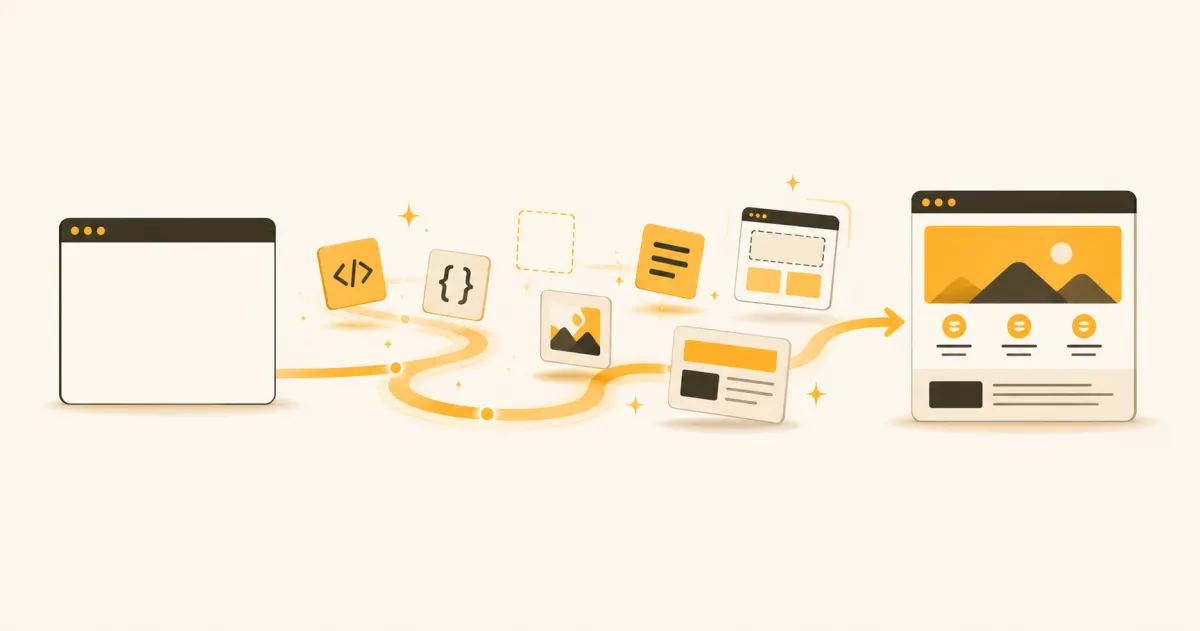
To learn web development in 2026, start with HTML and CSS to build and style pages, then learn JavaScript for interactivity, pick one framework, and add backend basics like APIs and databases. Build real projects at every stage. Most focused beginners reach job-ready in six to twelve months.
That is the short version. The longer version matters more, because the reason so many beginners stall is not the difficulty of the material. It is the lack of a clear order. When you know exactly what to learn next, web development becomes a sequence of small, winnable steps instead of an overwhelming pile of tutorials.
This guide lays out that sequence. You will see what web development actually involves, whether to begin with frontend or backend, the full skill-by-skill roadmap, a realistic timeline to become job-ready, and how to stay on track when you are teaching yourself. If you want the broader coding context first, our complete roadmap to learning programming in 2025 sets the stage well.
What Web Development Actually Involves
Web development is the practice of building websites and web applications, from a simple portfolio page to a full software product like the one you are reading this on. Every site you use is the result of three broad layers working together.
The frontend is everything the user sees and touches: layout, text, buttons, forms, animations, and how the page responds to clicks. It runs in the browser and is built primarily with HTML, CSS, and JavaScript.
The backend is the engine behind the scenes: it stores data, handles logins, processes payments, and decides what information to send to the browser. It runs on a server and can be written in many languages, including JavaScript, Python, and others.
The database is where information lives permanently, such as user accounts, blog posts, or orders. The backend talks to the database to save and retrieve this data.
Understanding these three layers early gives you a mental map. Every skill you learn from here slots into one of them, which makes the roadmap far less abstract.
Frontend, Backend, or Full-Stack: Which to Start With
One of the first decisions beginners agonize over is where to begin. Here is the honest answer: start with the frontend. It gives you visible results fast, which keeps motivation high, and it introduces core concepts you will reuse everywhere.
That said, it helps to know the three common paths so you can aim your learning.
- Frontend developer. You focus on the user-facing side: layout, styling, interactivity, and frameworks. Ideal if you enjoy visual, design-adjacent work and immediate feedback.
- Backend developer. You focus on servers, data, security, and logic. Ideal if you like systems thinking, problem-solving, and working with data.
- Full-stack developer. You work across both. This is the most common target for self-taught developers in 2026 because small companies value people who can build a feature end to end.
You do not have to commit forever. Nearly everyone starts on the frontend, discovers what they enjoy, and specializes later. Begin there, and let the work reveal your preference.
The Web Development Roadmap
This is the core of the guide: the ordered path from zero to a working full-stack skill set. Follow it in sequence. Each stage builds on the one before, and skipping ahead is the most common reason beginners get stuck.
HTML, CSS, and Layout
Everything starts here. HTML defines the structure and content of a page, and CSS controls how it looks. These are not programming languages, which makes them the gentlest possible on-ramp.
Focus on:
- Core HTML tags and semantic structure (headings, lists, links, images, forms)
- CSS fundamentals: the box model, colors, typography, and spacing
- Modern layout with Flexbox and CSS Grid
- Responsive design so pages work on phones, tablets, and desktops
Build several small static pages before moving on: a personal bio page, a product landing page, a simple restaurant menu. The goal is comfort, not perfection. You should be able to sketch a layout and turn it into a working page without constant reference.
JavaScript and Interactivity
This is where you become a real programmer. JavaScript brings pages to life: it responds to clicks, validates forms, fetches data, and updates content without reloading. It is the single most important language in web development, so give it the time it deserves.
Prioritize:
- Variables, data types, functions, and conditionals
- Arrays and objects, and how to loop through them
- The DOM: selecting and changing page elements with code
- Events, so your page reacts to user actions
- Asynchronous JavaScript and fetching data from an API
Do not rush this stage. A solid grasp of plain JavaScript makes every framework you learn later dramatically easier. If you find yourself forgetting concepts, that is normal, and the fix is spaced practice rather than re-watching videos, an idea we cover in how to learn anything faster.
A Framework and Tooling
Once you can build interactive pages with plain JavaScript, a framework lets you build larger applications without reinventing the wheel. In 2026, React remains the most in-demand choice for beginners, with strong job availability and a huge learning community. Vue and others are fine alternatives, but pick one and go deep rather than sampling all of them.
Alongside your framework, learn the tooling that professional developers use every day:
- Git and GitHub for version control and to host your code
- The command line for running projects and managing files
- A package manager for installing libraries
- Component thinking: breaking an interface into reusable pieces
Learning one framework well teaches you the concepts that transfer to any other. Employers care that you can think in components and manage state, not that you memorized a specific library.
Backend, APIs, and Databases
Now you cross into full-stack territory. The backend is where you store data permanently and handle logic the browser should not see, like authentication and payments.
Work through:
- A backend runtime and framework (Node.js with Express is a natural fit since it uses JavaScript you already know)
- APIs: how the frontend and backend talk to each other by sending and receiving data
- Databases: storing and querying data, starting with the basics of one SQL and one non-relational option
- Authentication: letting users sign up, log in, and stay secure
- Deployment: putting your app online so anyone can use it
Once you can build a frontend, connect it to a backend, save data to a database, and deploy the result, you have the full-stack skill set that gets people hired. If you want to reinforce the backend side with a versatile language, Python is a strong second language, and our guide on how to learn Python from scratch walks through it step by step.
How Long It Takes to Become Job-Ready
The honest answer is that it depends on your hours, but the ranges are predictable.
- Casual pace (5 to 8 hours per week): roughly 12 to 18 months to job-ready.
- Committed pace (15 to 20 hours per week): roughly 6 to 9 months.
- Full-time immersion (35+ hours per week): roughly 3 to 5 months.
“Job-ready” here means you can build and deploy a full-stack application, explain your choices, and show two or three portfolio projects. It does not mean you know everything. No developer does, and the ability to learn on the job is itself a core skill employers expect.
The biggest variable is not talent. It is consistency. A learner who does one focused hour every day will almost always outpace one who crams eight hours once a week and then disappears. Momentum compounds, and gaps force painful relearning. Building that daily rhythm is worth more than any single tutorial, which is why we wrote how to create a learning schedule you stick to.
Building a Portfolio That Gets Interviews
Certificates and completed courses are fine, but the thing that actually gets a self-taught developer interviews is a portfolio of real projects. Hiring managers want proof you can build something that works, not a list of tutorials you followed.
Aim for three to five projects that show range:
- A polished frontend project that proves your eye for layout and responsive design, such as a landing page or interactive dashboard.
- A full-stack app with a database that lets users sign up, log in, and create or save data. This is the single most convincing project you can build.
- An API-driven project that fetches and displays external data, showing you can work with services you did not build.
- A project you genuinely care about, because passion shows in the polish and gives you something real to talk about in interviews.
Avoid cloning the exact tutorial project everyone else submits. A small original idea, executed cleanly, stands out far more than an ambitious copy. For a deeper walkthrough, see how to build a skills portfolio that gets you hired in 2026.
Staying on Track as a Self-Taught Developer
The hardest part of learning web development alone is not any single concept. It is staying consistent for the months it takes without a classroom, a deadline, or a teacher pointing you to the next step.
A few habits make the difference:
- Follow a sequence, not your curiosity. Jumping between tutorials feels productive but leaves gaps. A fixed order prevents the “I know a little of everything and can build nothing” trap.
- Build as you learn. Apply every new concept in a small project the same week. Passive watching does not stick; using the skill does.
- Track your progress visibly. Seeing how far you have come is one of the strongest motivators when the work gets hard.
- Expect the dip. Around the JavaScript stage, most learners feel lost. That feeling is normal and temporary. Push through with small daily reps.
This is exactly where a personalized learning path helps. Instead of stitching together scattered videos and guessing what comes next, a tool like Solohustller sequences the full front-to-back roadmap into a structured course tailored to your starting level and the hours you can spare, so you always know the single next thing to learn. That structure removes the decision fatigue that quietly ends so many self-taught journeys.
Frequently Asked Questions
Can I learn web development on my own without a degree?
Yes. Web development is one of the most accessible fields to enter without a degree because employers hire based on demonstrable skill. A strong portfolio of working, deployed projects consistently outweighs formal credentials. Thousands of self-taught developers work professionally in 2026, and the path is well established.
Should I learn frontend or backend first?
Start with the frontend. HTML, CSS, and JavaScript give you visible results quickly, which keeps motivation high, and they teach concepts you will use across the entire stack. Once you are comfortable building interactive pages, move to the backend to become full-stack.
How long does it take to become a web developer?
With committed part-time study of 15 to 20 hours per week, most beginners reach job-ready in six to nine months. Full-time immersion can shorten that to three to five months, while a casual few hours per week may take 12 to 18 months. Consistency matters more than raw hours.
Do I need to be good at math to learn web development?
No. Most web development relies on logical thinking rather than advanced math. Basic arithmetic and comfort with logic are enough for the vast majority of frontend and backend work. Only specialized areas, like certain data-heavy or graphics fields, require deeper math.
Which programming language should I learn first for web development?
JavaScript. It is the only language that runs natively in every web browser, powers frontend interactivity, and can also run your backend through Node.js. Learning JavaScript first lets you build both sides of an application with a single language before branching out.
Is web development still a good career in 2026?
Yes. Businesses of every size continue to need websites and web applications, and demand for developers who can build complete features remains strong. The field also rewards continuous learners, so the skills you build compound over a long career rather than expiring.
Start Your Web Development Journey With Solohustller
Knowing the roadmap is one thing. Following it for months without losing the thread is another. That gap between the plan and the finish line is where most self-taught developers stall, not because the material is too hard, but because deciding what to learn next, every single day, is exhausting on your own.
Solohustller closes that gap. You tell it your goal, your current level, and how many hours a week you can commit, and it builds the full front-to-back web development path into a structured, day-by-day course paced to your real life. Adaptive quizzes confirm each concept sticks before you move on, so you are not left with shaky foundations. Progress tracking with streaks and milestones turns those months of study into visible momentum, the single biggest driver of finishing. And when you complete the path, a certificate backed by your actual project work gives you something concrete to show.
No guessing what comes next. No scattered tutorials. Just a clear, personalized path from your first HTML tag to a deployed full-stack app.
Ready to turn this roadmap into your daily plan? Join the Solohustller waitlist and start building the web development skills that get you hired.